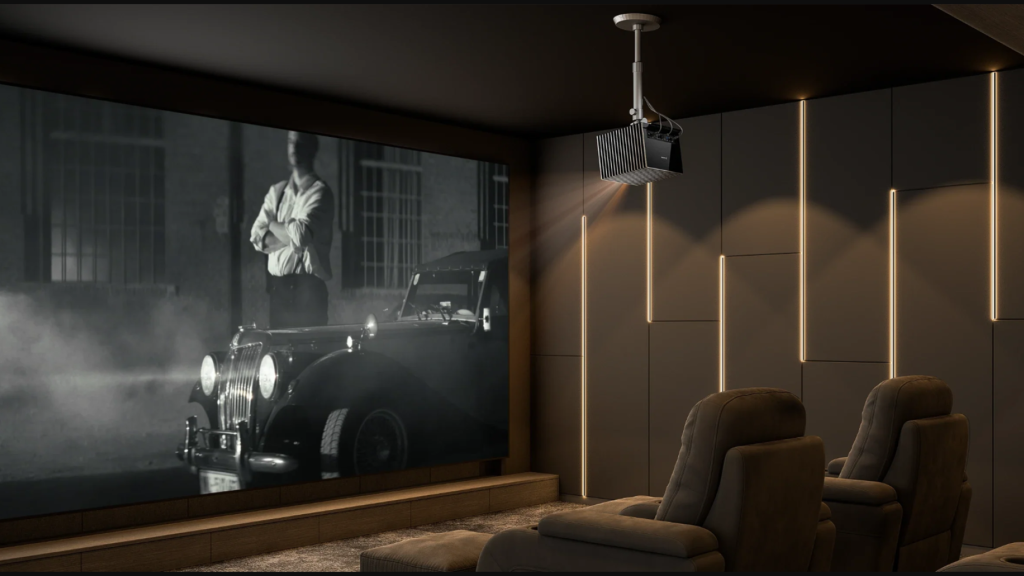
There is a natural instinct when building a home theater to chase the largest possible image. The allure of a 150-inch or even 200-inch screen is undeniable; it promises the kind of overwhelming cinematic scale that commercial theaters offer. Manufacturers and marketing campaigns often lean into this desire, showcasing massive screens as the ultimate symbol of home entertainment luxury. However, seasoned home cinema enthusiasts and professionals know that in the world of projection, bigger is not always synonymous with better. In fact, pushing a screen size beyond the limits of your room or your hardware can often degrade the experience rather than enhance it.
Achieving the perfect home cinema setup is not about maximizing inches; it is about optimization. It requires balancing the geometry of the room, the brightness of the projector, and the limitations of human vision. When these elements are in harmony, a 100-inch image can feel far more immersive and impactful than a washed-out 150-inch display. Rethinking screen size means moving away from the “bigger is better” mentality and embracing a more holistic approach to visual fidelity.
Understanding Viewing Angles and Eye Strain
The primary constraint on screen size is the physical dimension of the room and the resulting viewing distance. There is a physiological limit to how much visual information the human eye can comfortably process at once. If a screen is too large for the viewing distance, the viewer is forced to physically move their head to see different parts of the image—a phenomenon often referred to as the “tennis match effect.” This constant motion can lead to neck strain and visual fatigue, turning a relaxing movie night into a physically exhausting experience.
Industry standards organizations like SMPTE (Society of Motion Picture and Television Engineers) and THX provide guidelines for optimal viewing angles. Generally, a viewing angle of 30 to 40 degrees is considered the “sweet spot” for cinematic immersion. This ensures the screen fills your peripheral vision enough to be engaging but not so much that it becomes overwhelming. For many average-sized living rooms, this calculation results in a recommended screen size closer to 100 or 120 inches rather than the massive sizes often advertised. Staying within these geometric limits ensures that the entire frame is visible at a glance, allowing the viewer to absorb the composition of the shot as the director intended.
The Impact of Size on Image Brightness
One of the most overlooked factors in projection is the relationship between screen size and brightness. A projector has a finite light output, measured in lumens. When you increase the size of the screen, you are spreading that fixed amount of light over a much larger surface area. This distribution follows the inverse square law, meaning that even a modest increase in screen diagonal can result in a significant drop in brightness per square inch (luminance).
If a projector is stretched too thin, the image loses its “pop.” Blacks appear milky, colors lose their saturation, and the contrast ratio—the difference between the brightest white and the darkest black—collapses. This is particularly critical for High Dynamic Range (HDR) content, which relies on high brightness peaks to create realistic specular highlights. A smaller, brighter image often looks subjectively superior to a larger, dimmer one because our eyes perceive contrast as sharpness and detail. By scaling down the screen size slightly, you concentrate the light, resulting in a punchier, more vibrant picture that holds up better against ambient light.
Resolution and the Clarity Threshold
As screen sizes expand, the density of the pixels decreases. This is where resolution becomes the defining factor in how big you can go before the image quality breaks down. On a 100-inch screen, a standard high-definition image might look perfectly sharp. However, blow that same image up to 150 inches, and the grid of pixels may become visible, creating a “screen door” effect that shatters the illusion of reality.
To maintain a seamless, film-like appearance at larger sizes, a high pixel count is non-negotiable. Using a 4K projector ensures that the pixel density remains high enough to remain invisible, even when the image is expanded to wall-filling proportions. The higher resolution allows for finer textures and smoother curves, effectively future-proofing the setup for larger displays. If you are committed to a massive screen, investing in 4K is not a luxury; it is a necessity to keep the image cohesive and sharp.
The Role of Room Acoustics and Aesthetics
A screen that dominates every inch of wall space can introduce unintended consequences for the room’s acoustics and overall design. Ideally, a home theater setup includes front speakers—left, center, and right—that create a soundstage matching the onscreen action. If the screen is too wide, it may push these speakers into corners or against side walls, causing unwanted sound reflections and muddy audio. While acoustically transparent screens allow speakers to be placed behind the image, they are often more expensive and can slightly reduce brightness.
Aesthetically, a screen that touches the ceiling or crowds furniture can make a room feel claustrophobic. Negative space around the screen helps frame the image, giving the eyes a reference point and making the room feel balanced. A slightly smaller screen allows for better integration of speakers, subwoofers, and décor, resulting in a multipurpose space that is welcoming even when the projector is turned off.
Selecting the Right Hardware for the Task
Ultimately, the “right” screen size is a variable that depends heavily on the capabilities of your equipment. If you desire a massive screen, you must match it with a projector capable of lighting it up properly. This means prioritizing high lumen output and superior optics that maintain focus from corner to corner.
Choosing the best movie projector for a large setup often involves looking for triple-laser models that can deliver the color volume and brightness intensity required for expansive displays. These advanced units can handle the demands of a 150-inch screen without sacrificing saturation or contrast. However, if your budget or room constraints limit you to a mid-range model, you will likely get a far superior performance by sticking to a 100-inch or 120-inch screen.
Conclusion
The dream of a giant home cinema is exciting, but the reality is that quality often trumps quantity. A truly immersive experience comes from a bright, sharp, and comfortably viewed image, not necessarily the largest one possible. By rethinking screen size and focusing on the balance between resolution, brightness, and viewing geometry, you can build a home theater that delivers impact without compromise. It is about finding the Goldilocks zone—where the screen is big enough to thrill, but refined enough to perform.